¶ Domain Creation and Management
The Domain is the Customer's IPPBX and Unified Communication instance/tenant.
The Reseller User creates the domain.
¶ Domain Creation
After logging in as a reseller user, you can create a new customer as the owner of the domain you are going to create or select a previously created customer as the owner.

1 - System Code
2 - The Reseller User
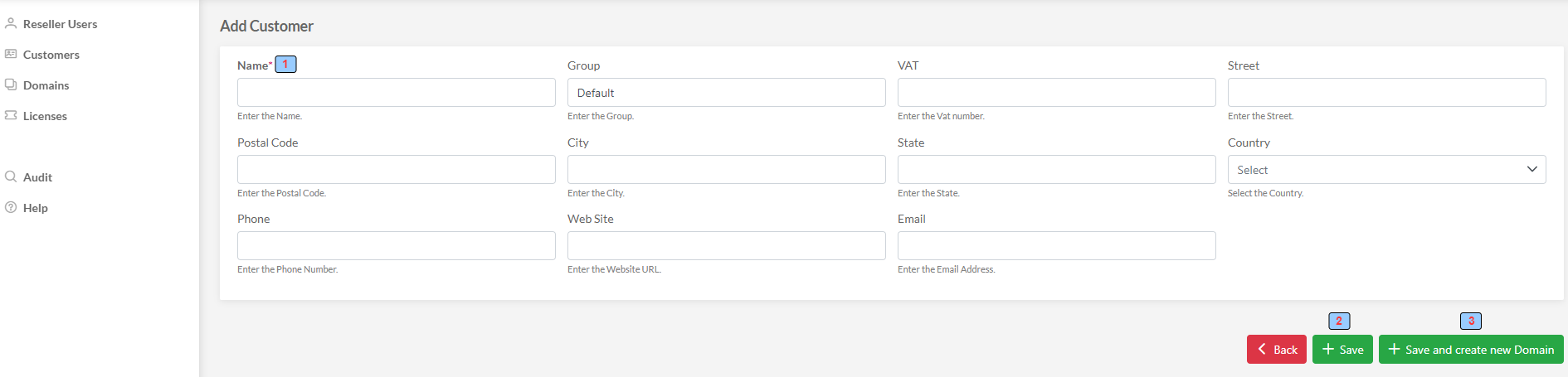
1 - Customer name (mandatory)
2 - Save the Customer
3 - Create a new Domain for this Customer
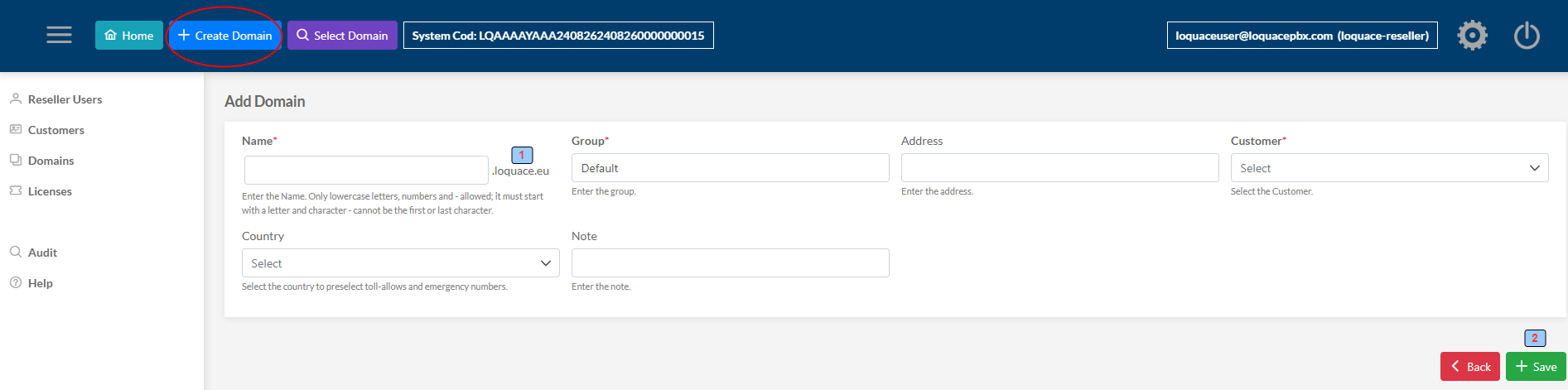
1 - Root Domain: The "Root Domain" is used to define the name of the domains that are created and is automatically constructed by the wizard based on the FQDN of the machine
2 - Save and Create the Domain
Name: The Name of the Domain. The domain that will be created will have the name <Name>."Root Domain" according to this example <Name>.loquace.eu
Group: The Customer Domain Group. Domains can be grouped into a logical group to make them easier to find.
Address: The Domain Address
Customer: The domain Customer
Country: The Domain Country
Note: Note
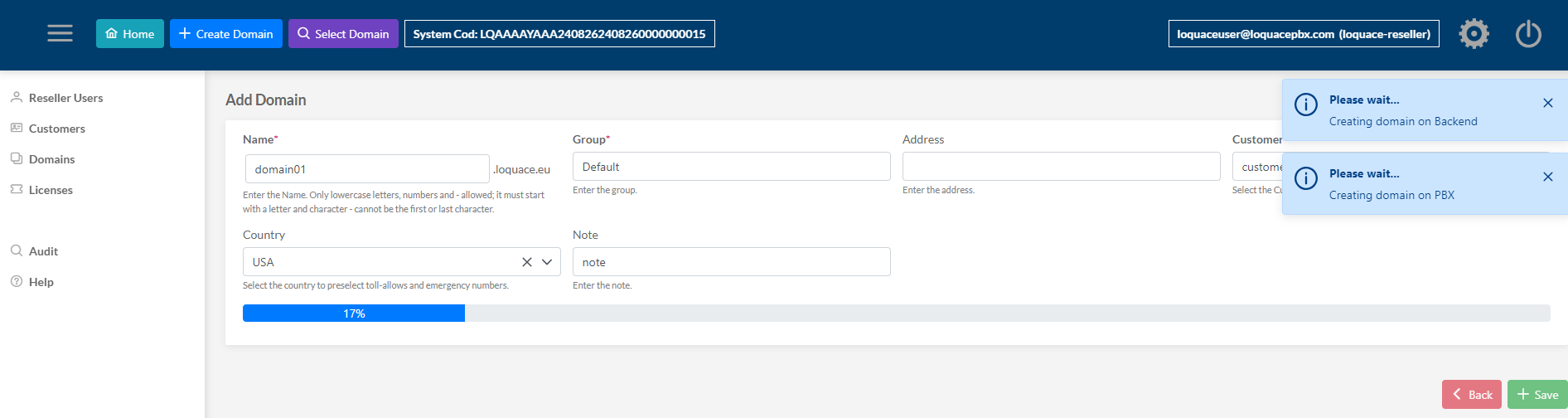
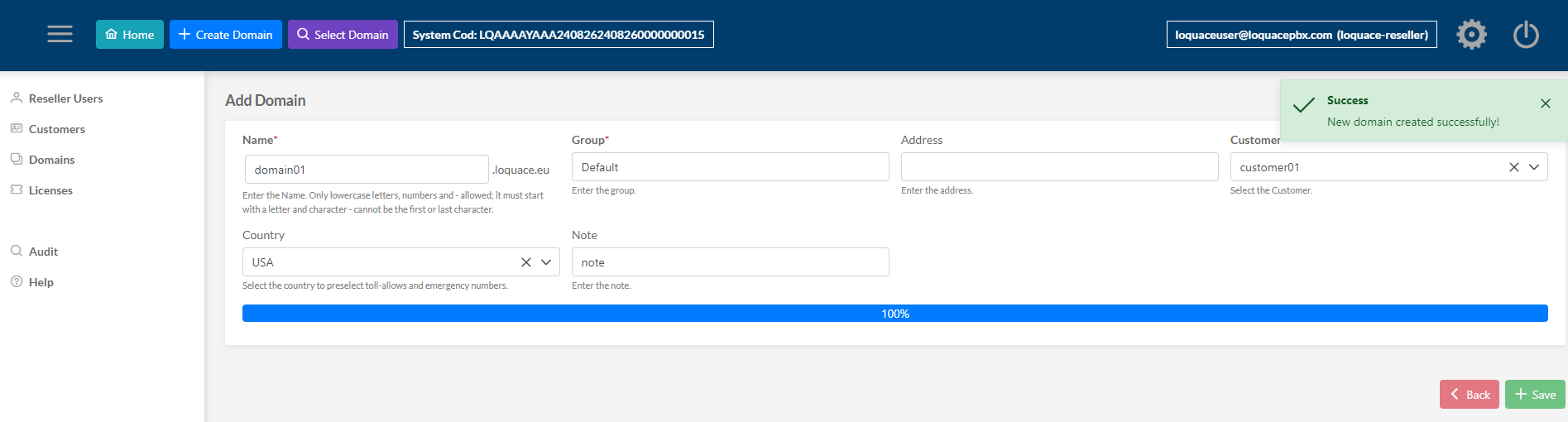
The Domain domain01.loquace.eu for the Customer customer01 Is created
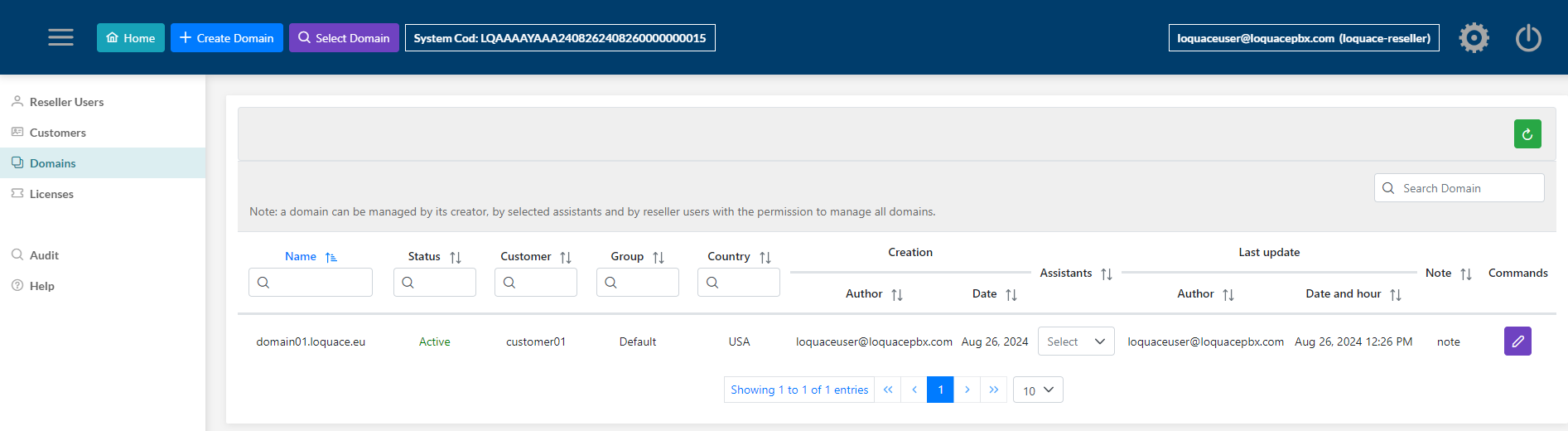
All domain names created do not need DNS resolution; they are for internal Loquace management only.
Creating subsequent domains depends on the type of purchased license.
¶ Server FQDN, Root domain and Domain name
The Domain name does not need to have DNS resolution, these domain names are for internal Loquace management only.
Only the Server name must have a valid FQDN as a valid certificate (see the installation Tutorial).
In the previous example:
- server FQDN: tutorial.loquace.eu
- root domain: loquace.eu
- customer domain: domain01.loquace.eu
domain01.loquace.eu does not need to have a valid FQDN as it is for system internal use.
¶ User Domain
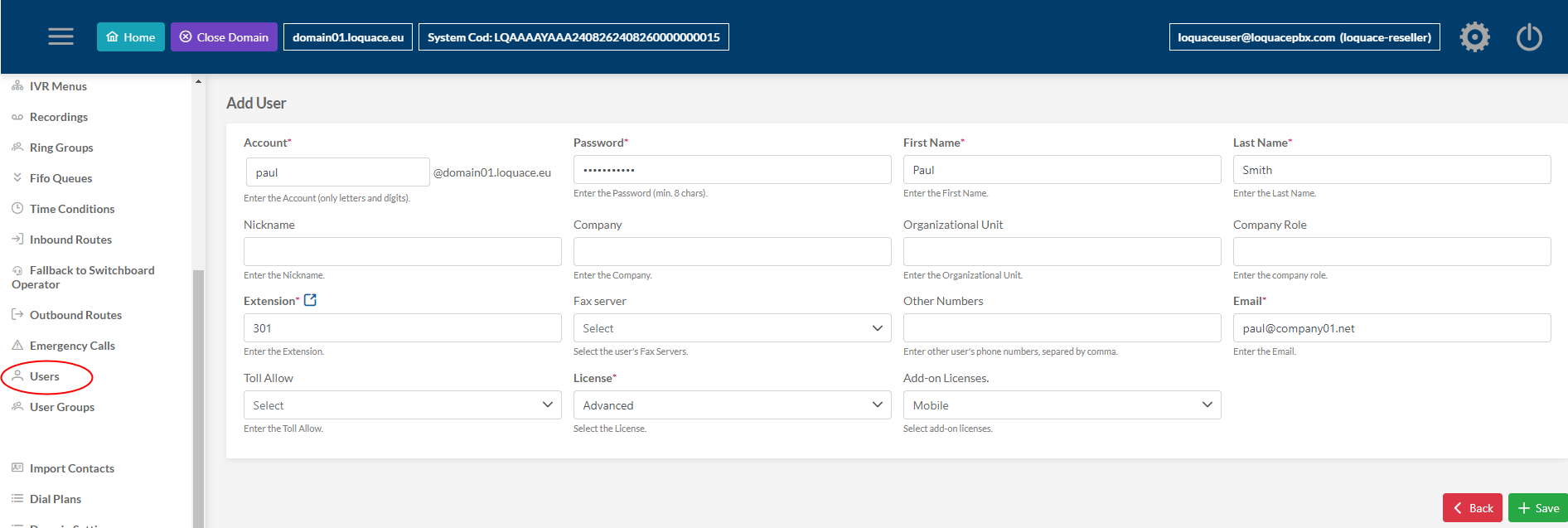
Let's create a user and associate the internal telephone number of the switchboard with it
Select the domain to manage

Create the user Paul Smith with login name paul, and pbx phone number 301 with mobile add-on license to use Loquace Mobile App
¶ Loquace Web App
The User Web dashboard Loquace Web App is created and provisioned. The user can use the Webrtc and Chat feature.
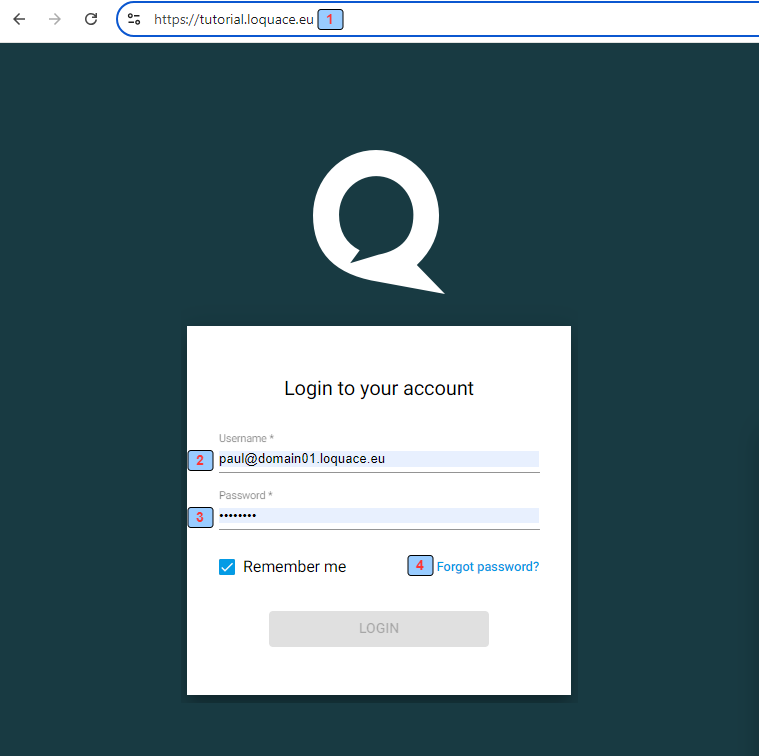
1 - The Loquace Web App URL. (server FQDN)
2 - The Username
3 - The Password
4 - Password recovery procedure (necessary user e-mail)
¶ Loquace Mobile App
The user can log in to the Loquace Mobile App (IOS/Android) and use the Webrtc and Chat feature
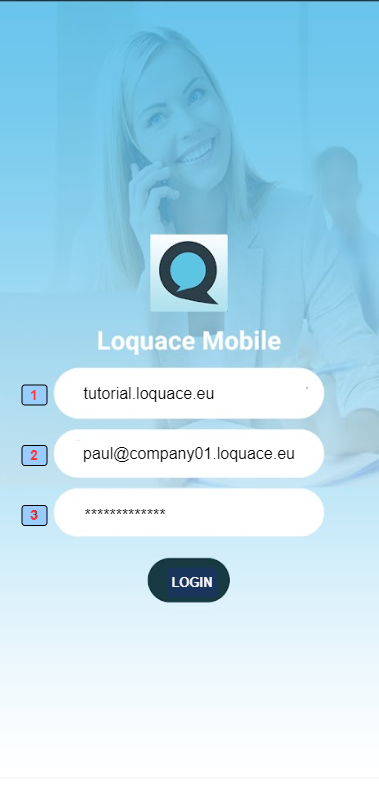
1 - The Loquace Server URL (server FQDN)
2 - The Username
3 - The Password
¶ Phone Sip Credential
Loquace Web App Webrtc and Loquace Mobile Sip clients are provisioned by the system.
Below are the parameters to manually configure a Sip client for this extension 301
- user: 301
- password: the password can be visualized and changed in the “Extension” form of 301
- domain: company01.loquace.eu
- outbound proxy: tutorial.loquace.eu
- protocol: udp/tcp/tls
¶ Phone provisioning
The system implements phone automatic provisioning.
For this feature see the relative tutorial
¶ Domain life cycle
The Domain is the Customer's logical IpPBX and Unified Communication instance.
The Reseller User creates the domain.
¶ The domain life cycle from the Reseller User perspective
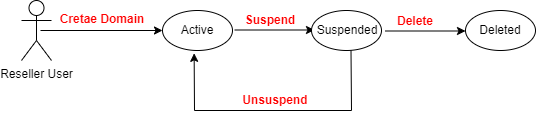
Reseller User when deletes a Domain performs a logical delete. The Domain remains in the system but is not accessible to the Customer and is not more visible to the Reseller User.
¶ The domain life cycle from the Administrator's perspective
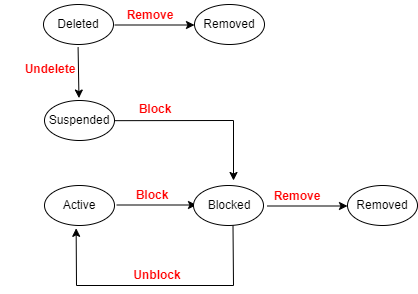
When the Administrator removes a deleted domain, the domain is removed from the system.